An anime storyboard template helps creators plan anime scenes for videos, comics, manga dramas, and AI-generated animation. In this guide, you’ll get a copyable storyboard template, a filled example, and a workflow for turning script scenes into visual panels with AnimeArc.
Storyboards are where writing becomes visual direction. If your script says “the hero feels betrayed,” the storyboard must decide what viewers actually see: a close-up of shaking hands, a wide shot of an empty rooftop, or a cut to the rival hiding behind the door.
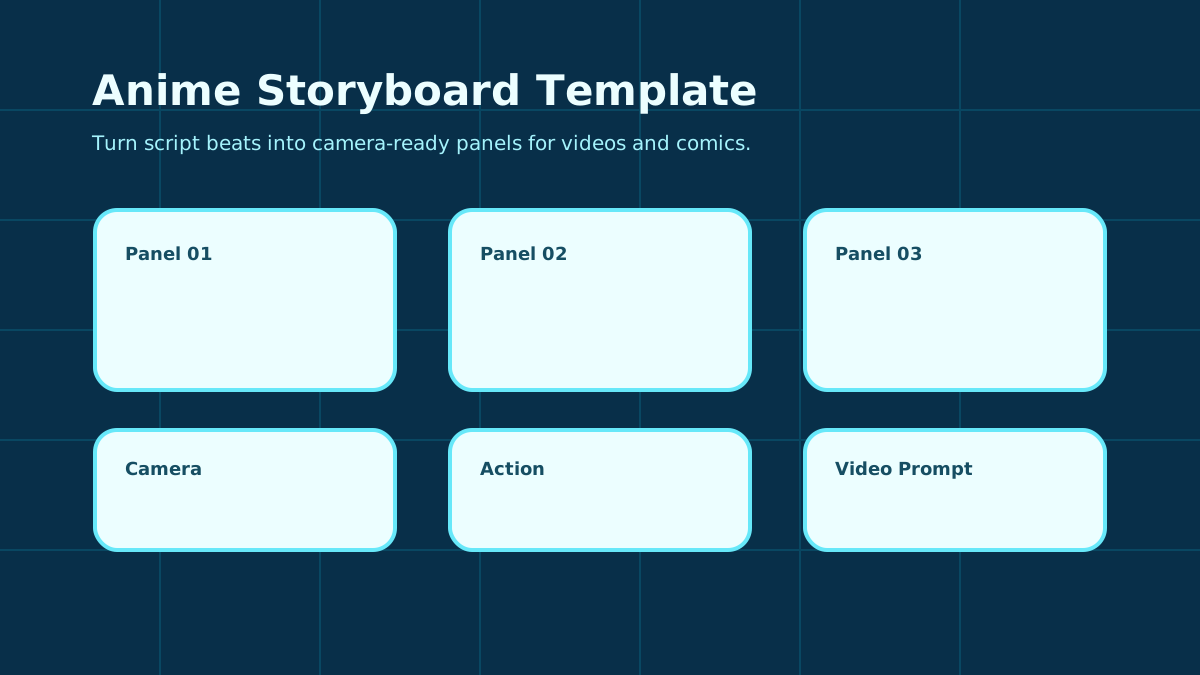 Figure 1: A storyboard template helps turn script beats into camera-ready panels for videos and comics.
What Is an Anime Storyboard Template?
An anime storyboard template is a visual planning worksheet for breaking a scene into panels. Each panel describes the location, characters, camera angle, action, dialogue, emotion, and prompt information needed to generate or draw the frame.
This template is not the same as an AI Anime Storyboard Generator. The generator helps automate visual creation. The template helps you think clearly before generating.
A good storyboard template keeps your scene from becoming vague. Instead of writing “fight scene,” you define:
- who appears in the shot
- where the shot happens
- what the camera sees
- what the character does
- what emotion should be visible
- what dialogue or text matters
- what prompt should be used for image or video generation
The storyboard template is especially important for short anime videos because pacing is visual. If every panel uses the same medium shot, the episode will feel flat even if the script is dramatic. By planning shot size and camera angle, you decide when the viewer should feel distance, intimacy, danger, or surprise.
You do not need beautiful drawings to storyboard. Text panels are enough if they are specific. A good text storyboard can tell an artist or AI system what to show, where to place the characters, and what emotion the viewer should read.
What Should an Anime Storyboard Include?
Every storyboard panel should include enough information for another person or AI tool to understand the shot. The essential fields are:
- Scene Number: The order of the panel.
- Location: The environment or background.
- Characters: Who appears in the panel.
- Camera: Shot size and angle, such as close-up, wide shot, low angle, or tracking shot.
- Action: What visibly happens.
- Dialogue: Any spoken line or on-screen text.
- Emotion: The feeling that should be readable.
- Video Prompt: A production-ready visual description.
If your scene starts as a script, use the Anime Drama Script Template first. Then use this storyboard template to turn each beat into a visual panel.
The Camera field is often the most powerful part of the template. A wide shot can show loneliness or scale. A close-up can show hesitation. A low-angle shot can make a character feel powerful. A high-angle shot can make them feel trapped. If you only describe action without camera direction, the final scene may miss the emotion.
The Continuity Notes field is just as important for AI workflows. If a character has a blue cardigan, red scarf, cracked mask, or glowing left eye, write it down. Otherwise, later panels may drift away from the established design.
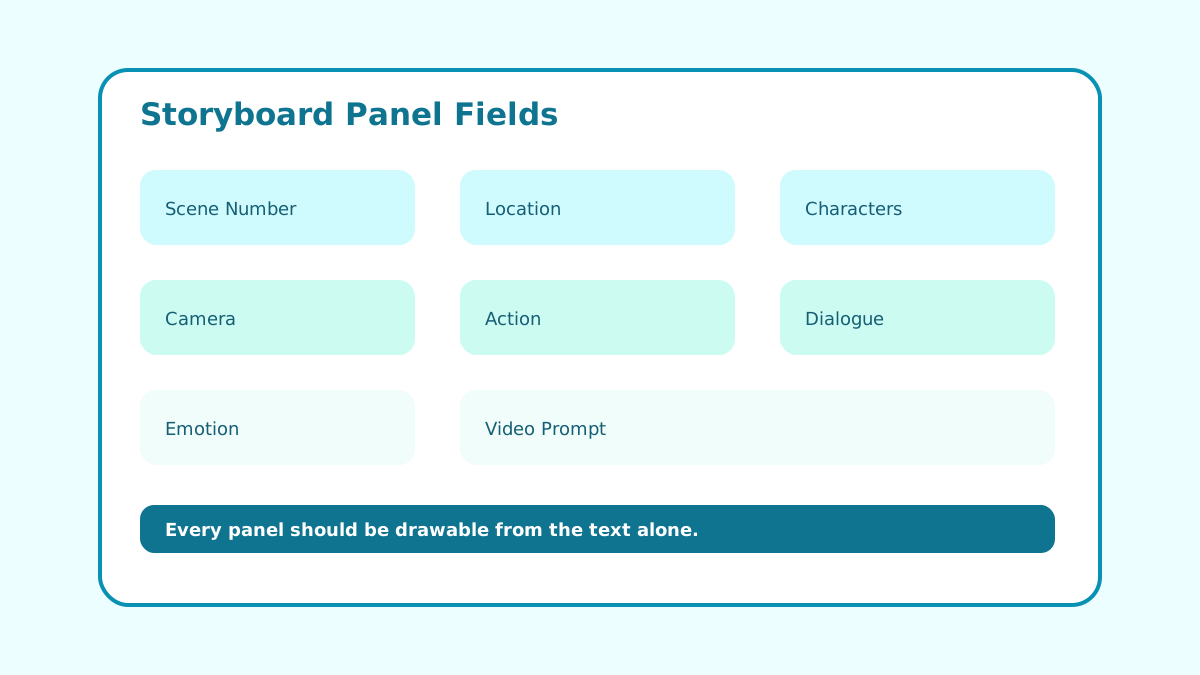 Figure 2: Each storyboard panel should be specific enough to draw or generate without guessing the scene.
Free Anime Storyboard Template
Copy this template for each panel:
Scene Number:

Location:

Characters:

Camera:

Action:

Dialogue:

Emotion:

Visual Details:

Video Prompt:

Continuity Notes:
For best results, keep the Action field visible and concrete. “Rin is sad” is not enough. “Rin folds the unread letter twice, then hides it inside her sleeve” gives the scene something to show.
Do not force every panel to include dialogue. Silent panels can be more powerful, especially before a reveal. A hand on a door, a shadow behind glass, or a character looking away can communicate emotion faster than a paragraph of speech.
You can also use the template to plan rhythm. Alternate wide shots and close-ups. Give action scenes diagonal movement. Give emotional scenes stillness. A storyboard is not only a list of images; it is the visual rhythm of the episode.
Storyboard Example
Here is a three-panel example for a school drama scene:
Scene Number:
01

Location:
School rooftop at sunset

Characters:
Rin and Aki

Camera:
Wide shot, both characters separated by the rooftop fence

Action:
Rin holds a sealed letter behind her back while Aki looks toward the city skyline.

Dialogue:
Aki: "You wanted to tell me something?"

Emotion:
Hesitation, quiet tension

Video Prompt:
wide shot of two anime students on a school rooftop at sunset, one hiding a sealed letter, warm orange sky, emotional silence, clean 2D anime style

Continuity Notes:
Keep Rin's blue cardigan and Aki's red scarf visible.
Scene Number:
02
Camera:
Close-up on Rin's hand
Action:
Rin grips the letter until the corner bends.
Dialogue:
Rin: "I kept this for three years."
Emotion:
Fear of rejection
Video Prompt:
close-up of anime girl's hand gripping a sealed letter, school rooftop background blurred, sunset rim light, delicate emotional detailScene Number:
03
Camera:
Medium shot from behind Rin
Action:
A third shadow appears on the rooftop door window.
Dialogue:
No dialogue
Emotion:
Shock and suspense
Video Prompt:
medium shot behind anime girl on rooftop, shadow behind glass door, sunset turning dark, suspenseful school drama mood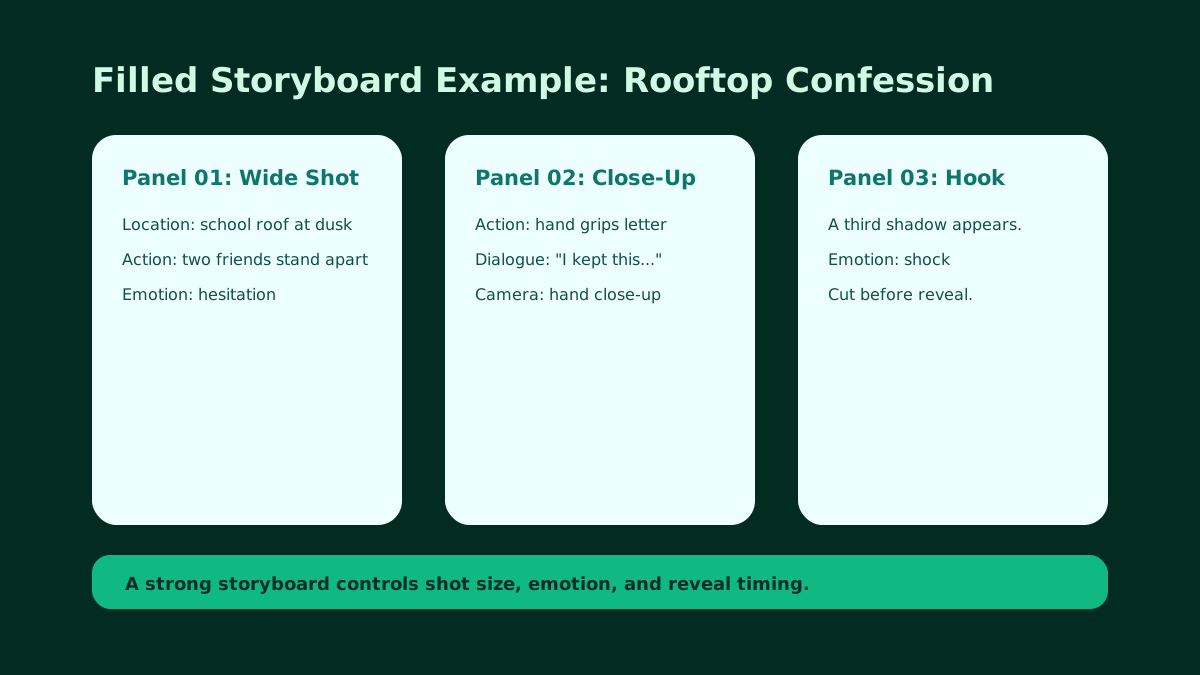 Figure 3: The filled storyboard example controls shot size, emotion, reveal timing, and continuity details.
This example uses three different shot purposes. The first panel establishes distance between the characters. The second panel focuses on the object that carries emotional weight. The third panel introduces suspense without explaining it. Together, the panels create a small visual arc.
If all three panels were medium shots of two students talking, the scene would feel much weaker. The template helps you avoid that by forcing you to name camera, action, and emotion for each panel.
How to Generate Storyboards with AnimeArc
You can use this template manually, then move it into AnimeArc for generation.
Recommended workflow:
- Start from an outline: Use the Anime Episode Outline Template to define the episode path.
- Write script beats: Use the AI Anime Script Generator to create dialogue and actions.
- Split into panels: Give each important action one storyboard panel.
- Add camera directions: Use close-ups for emotion and wide shots for context.
- Generate frames: Use the AI Anime Storyboard Generator to create visual previews.
- Convert to video prompts: Use the Anime Video Prompt Template for motion-ready prompts.
Want to turn storyboard panels into an anime drama? Try the AI Anime Drama Generator and build scripts, characters, scenes, storyboards, and video prompts in one workflow.
Before rendering, check whether each panel has a reason to exist. If two panels show the same action from the same angle with the same emotion, merge them. If a panel contains a major emotional shift, give it a stronger camera choice. This makes the final video feel intentional instead of randomly assembled.
Common Mistakes to Avoid
The first mistake is using the same shot for every panel. A row of medium shots can make even an exciting script feel static. Use wide shots to establish space, close-ups to show emotion, low angles to create power, and over-the-shoulder shots to create tension between characters.
The second mistake is describing feelings instead of visible behavior. “Aki feels guilty” is not a storyboard action. “Aki hides the torn club photo under his notebook” gives the viewer something to see and gives the generator a concrete image to create.
The third mistake is ignoring continuity. If a character’s scarf, weapon, school uniform, or injury matters, write it in the continuity notes. This becomes especially important when a scene has many panels or when you generate images in separate passes.
Finally, do not overload one panel. If a character enters, argues, transforms, fights, and escapes, that is not one panel. Split it into beats so each image has a clear purpose.
Where This Template Fits in Production
Use the storyboard template after the outline and script are clear. At this point, the story already has beats, but the viewer still needs visual direction. The storyboard decides how each beat should appear on screen.
In an AnimeArc-style workflow, each storyboard panel can become a generated keyframe or a video prompt. The location field informs the background. The characters field pulls from your character profiles. The camera field controls the shot. The action and emotion fields tell the frame what to communicate.
This makes the storyboard template a quality-control step. Before spending time on final generation, you can check whether the scene has enough visual variety, whether the character stays consistent, and whether the panel order makes emotional sense.
If the storyboard reads clearly as text, it is much more likely to generate clearly as images.
For recurring series, keep a small library of proven shot patterns. For example, use wide shots for new locations, close-ups for emotional lies, and low-angle shots for power reveals. Reusing shot logic helps episodes feel consistent without making every scene look identical.
FAQ
What is an anime storyboard template?
An anime storyboard template is a worksheet for planning visual panels. It usually includes scene number, location, characters, camera angle, action, dialogue, emotion, and video prompt.
Do I need drawing skills to use a storyboard template?
No. You can use text-only storyboard panels. The important part is describing what the viewer should see.
How many panels should one short anime episode have?
For a 60-90 second short episode, 6-12 panels can be enough, depending on pacing and action complexity.
How is a storyboard different from a script?
A script focuses on dialogue and action beats. A storyboard translates those beats into camera shots and visual panels.
Can AnimeArc generate storyboards from this template?
Yes. You can use AnimeArc to turn structured scene descriptions into storyboard frames and then prepare them for anime video generation.
Start planning with this template, then generate your scene frames with AnimeArc.
Want to turn your anime story idea into a short drama workflow?
Submit your story idea with AnimeArc.
Submit My Story Idea